How to Write an Instagram Bio That Actually Converts
Your Instagram bio has approximately three seconds to answer one question:
“Is this person for me?”
That’s it. That’s the whole job. Not to list your credentials. Not to be clever. Not to squeeze in every single thing you do. Just to make the right person feel immediately seen and the wrong person self-select out.
And yet. Most personal brand bios on Instagram are doing none of that. They’re a job title, a list of services, maybe a fun fact about coffee, and a link in bio that goes to a homepage nobody asked for.
Here’s how to actually write one that works — in the next 30 minutes, without it sounding like a LinkedIn headline or a cringe network marketing mlm script.
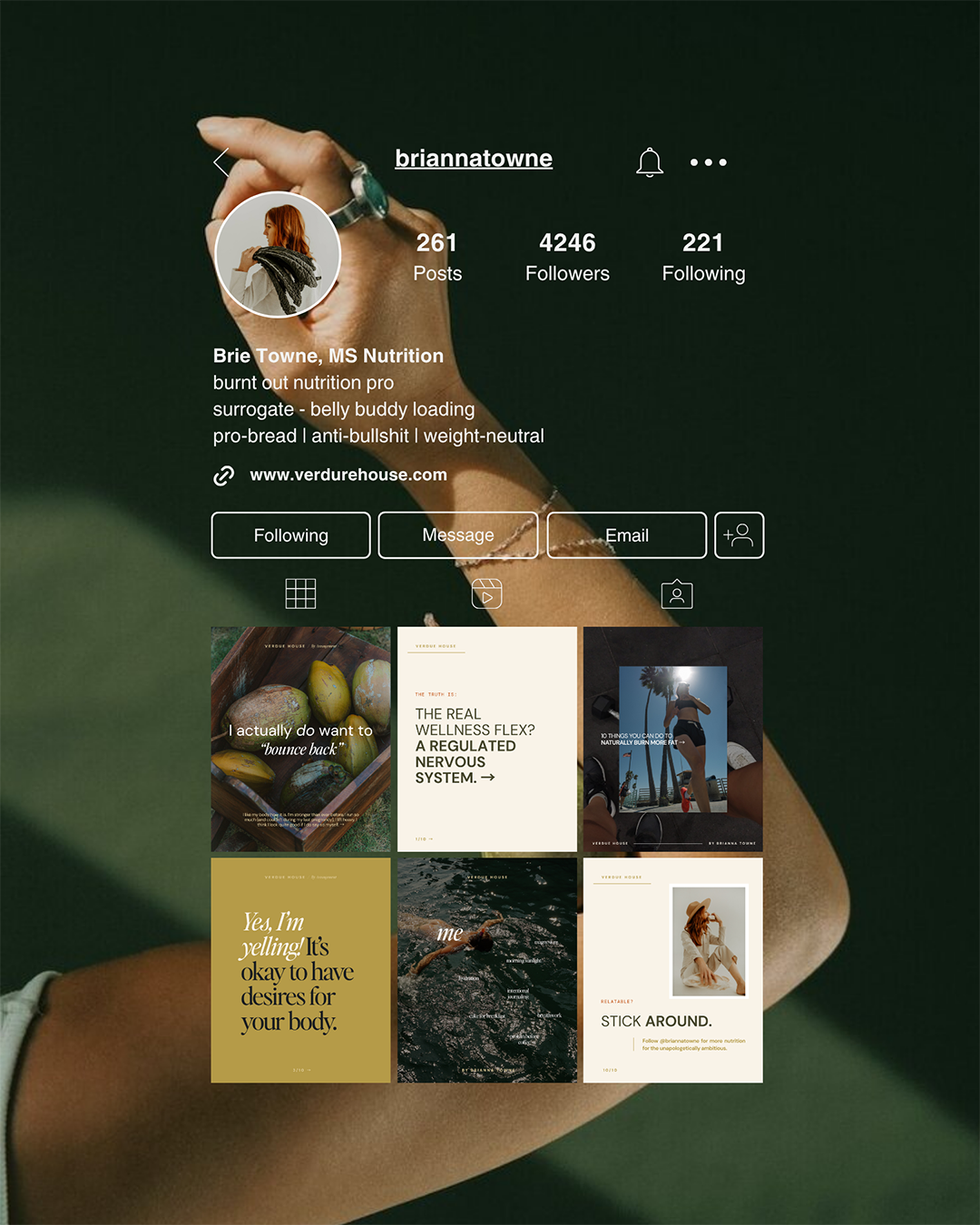
Why Most Personal Brand Bios Aren’t Actually Working
Before we get to the formula, let’s name what’s actually going wrong. Most Instagram bios fail for one of three reasons:
They lead with who you are instead of what you do for someone else. “Brand designer • mom • coffee obsessed” tells me about you. It doesn’t tell me why I should follow you or what’s in it for me.
They’re written for peers, not ideal clients. Industry jargon, niche-specific language, acronyms your audience doesn’t know yet. If your ideal client doesn’t immediately recognize herself in your bio, she’s already gone.
They try to do too much. 150 characters. That’s what you have. Trying to communicate your entire offer, your personality, your credentials, and your CTA in 150 characters isn’t ambitious — it’s just confusing.
The fix isn’t a more creative bio. It’s a more intentional one.
The Four-Line Bio Formula (That Doesn’t Sound Like a MLM Framework)
A converting Instagram bio has four jobs, roughly one line each. Here’s what they are and how to write each one:
Line 1:
Who You Help + What You Help Them Do
This is your headline. The most important line. It should answer “who is this for” in the first three words.
Formula: [Who you help] + [what result/transformation you create]
Instead of:
Brand designer • Showit + Squarespace • CEO momThis tells me what you are. It doesn’t tell me what you do for me.
Try:
Helping CEO moms build websites that actually convertThis tells me exactly who it’s for and what I get. In nine words.
Your name field (the bold text above your bio) is searchable on Instagram. Put your name AND a keyword there — e.g. “Tori | Brand + Web Designer”. This is one of the most underused SEO tricks on the platform.
Line 2:
The Specifics (Your Niche, Your Method, or Your POV)
Now you get to add a little texture. This is where you get specific enough that your ideal client goes “oh, that’s exactly me.” It could be:
The specific type of person you work with (CEO moms with personal brands, not just “entrepreneurs”)
The specific platform or method you use (Showit templates, Canva systems, etc.)
Your specific POV or approach (“brands that look like a real person, not a corporation”)
My personal example:
Showit + Squarespace websites for moms building in the marginsSpecific platform, specific audience, specific situation. She either sees herself or she doesn’t.
Line 3:
A Sliver of Personality
This is optional but powerful. One line that makes you sound like a person and not a brand account. A specific detail about your life, your approach, your vibe. Not a list of traits — one specific thing.
Instead of:
coffee lover • dog mom • forever in a messy bunGeneric. Every personal brand bio has some version of this.
Try:
building my business in nap windows since 2021Specific. Relatable to your exact audience. Makes her laugh and feel seen in the same breath.
Line 4:
The CTA (Make It One Thing)
Pick one action you want people to take and make it clear. One. Not “shop my templates • join my newsletter • book a call • download my freebie.” One thing.
Your link in bio should go directly to whatever you’re sending people to. If you have multiple links, use a simple link-in-bio page — but still lead your CTA with the most important one.
Example:
↓ free Canva templates + brand kit tutorialClear, specific, tells them exactly what they’re getting before they click.

SPEAKING OF FREE CANVA TEMPLATES... LET ME SEND YOU MINE!I’ve got the canva pack of Instagram templates for you! It includes mix and match carousel layouts to make endless posts… plus a video tutorial walking you through setup.
Putting It Together: A Before and After
Before:
Brand designer • Showit + Squarespace
CEO mom • coffee obsessed
helping women build beautiful brands
🌸 ↓ link below
What’s wrong: leads with credentials, generic audience (“women”), vague result (“beautiful brands”), the flower emoji is doing a lot of heavy lifting, and “link below” is not a call to action.
After:
Tori | Brand + Web Designer
PERSONAL BRANDS for CEO moms
Showit + Squarespace • built in nap windows since 2021
↓ free Canva templates + brand kit video tutorial
What’s working: searchable name field, clear who it’s for, specific result, personality detail that’s actually specific, one focused CTA.
A Few More Mistakes to Stop Making
Using your job title as your entire first line
“Brand designer” is not a hook. It’s a category. Your ideal client doesn’t go looking for “brand designer” — she goes looking for someone who can solve her specific problem. Meet her there.
Using bullet points for everything
The “word • word • word” format is overused to the point of invisibility. A sentence that sounds like a real human wrote it will stand out more than a list of nouns separated by flowers.
Sending the link in bio to your homepage
Your homepage is designed to give an overview. Your link in bio should send people to one specific, high-converting destination — your freebie, your booking page, your most important offer. Make it easy to take the next step, not harder.
Never updating it
Your bio should reflect where your business is right now. If your services have changed, your audience has shifted, or you have a new freebie or offer — update it. Set a reminder to review it quarterly. It takes 10 minutes and it matters.
Your Instagram Bio Audit Checklist
Pull up your bio right now and run through this:
Name field includes a searchable keyword (not just your name)
First line answers “who is this for” within the first 3–5 words
Ideal client would read it and think “that’s me”
At least one specific detail (not generic traits like “coffee lover”)
One clear CTA — not three
Link in bio goes to one specific destination
No industry jargon your ideal client wouldn’t immediately understand
It sounds like a person wrote it, not a brand
Once Your Bio Is Locked In — Your Instagram Feed Needs to Match
A great bio does half the job. The other half is what people see when they land on your profile — your grid, your highlights, your overall visual brand. If your bio is now promising “CEO mom content that actually helps” but your grid looks inconsistent and cobbled together, there’s a disconnect.
The free Instagram Canva templates are your shortcut to a grid that backs up everything your bio is promising. 14 templates, all designed to work together visually, with content prompts for the kind of posts that build the trust your bio just invited people in to feel.
They come with a video tutorial from me walking you through brand kit setup — so your colors and fonts are consistent from day one, and your profile actually looks like the person your bio describes.
→ Download the free Canva templates here — and make sure your grid is ready for everyone your new bio is about to bring in.

Ready to finally go all-in on your brand and web?
Let’s do it!
I’ve developed lots of brand support options just for you. No matter what part of the branding journey you’re in, we should find a fit. From Brands-in-a-Day to Web and Social Media Design, I work in lightning-fast turn around to get you out the door and on your way to being your industry’s Go-To Girlie.

Grab your FREE Showit Link in Bio Page Set →
A completely (and quickly) customizable, high-converting Showit Page Duo to make your brand look professional, legit, and ready for clients, all from one link. If you’re running a business from your phone, you need one simple page that makes it easy for people to book you, buy from you, or connect with you—without the overwhelm of building a full website (yet).

Grab these FREE Instagram Canva Templates →
Ready to turn your boring “always selling” posts into a delicious, bingeable mix of business and pleasure? (I call this “my soft pretzel".) These templates are perfectly curated to help you create your soft pretzel life monthly recaps and personal brand posts that low key sells, and high key connects with your community.